

Open Agent
- Select Agent in the sidebar, or go to app.arcsolar.com.au/dashboard/agent.
- Or select Agent in the bar at the bottom of any page. It opens a small chat you can keep open while you work.
What you can ask
Reports come back as Insight Cards and charts. Select a figure to open the records behind it.
You approve every change
Agent never changes anything on its own. When it wants to make a change, it shows a card first. Nothing happens until you select the button on the card.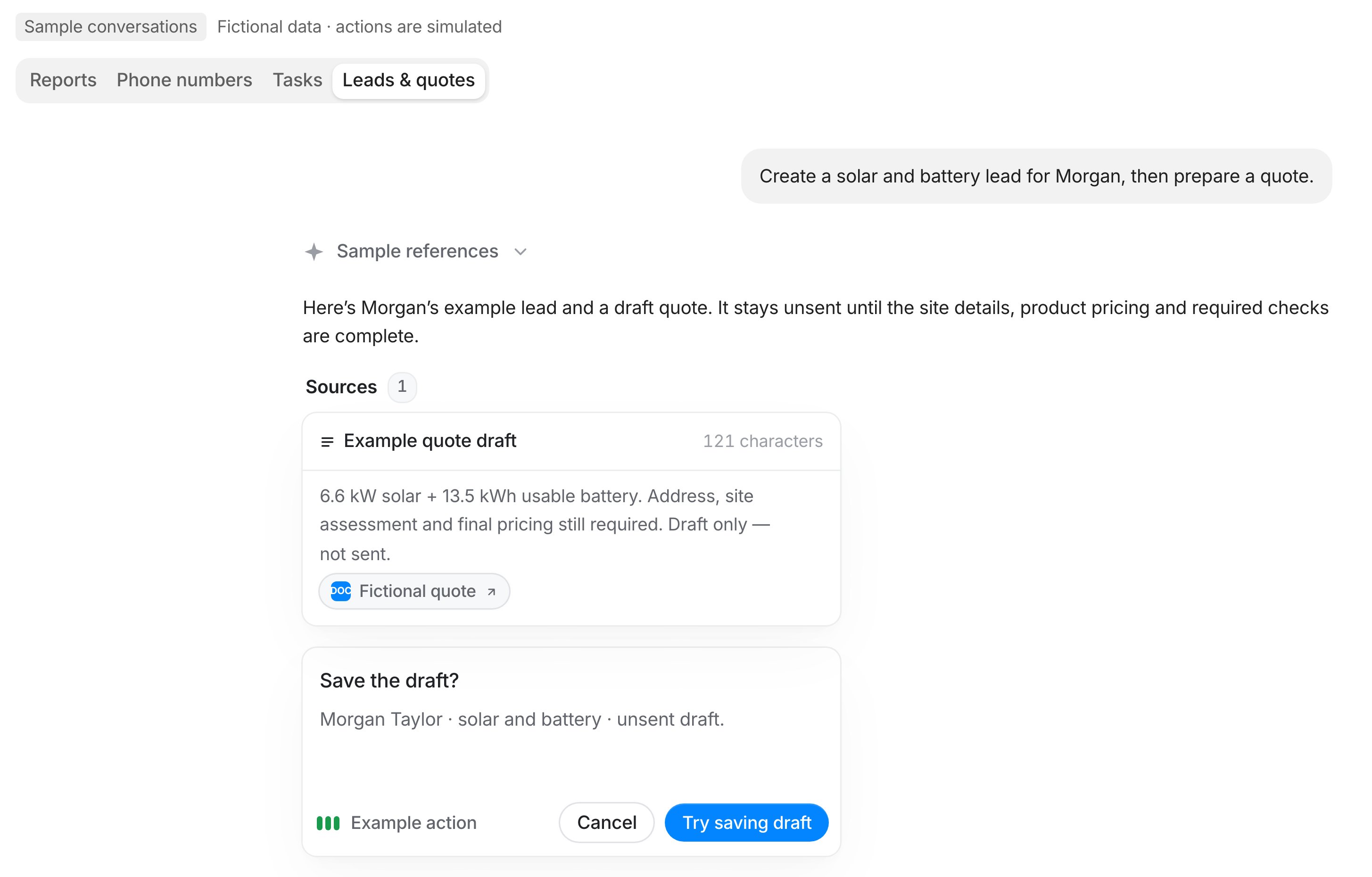
Agent prepares a change and waits for you. Sample conversation.
- Select the action button to go ahead, or Cancel to stop.
- Typing “yes” in the chat does not approve anything. Use the button.
- Cards expire after 10 minutes. Ask again if one expires.
It follows your permissions
Agent can only do what your role allows. If you can’t change pricing in ArcSolar, Agent can’t either. See Roles and permissions.Handy features
- @ mentions: type @ to point at a customer, quote, project, team member or installer.
- Attach files: add up to five files, such as a PDF, photo or spreadsheet.
- Chat history: select the clock icon to reopen past chats. You can pin, rename or archive them.
- Stop: select Stop agent to cancel a reply.
Usage limits
Each person has a usage allowance. Select Usage in Agent to see what’s left and when it resets. You’ll see a warning when you’re close to the limit.What Agent won’t do
- Make up prices, rebates or site details
- Message customers who’ve opted out
- Change your own access or remove the last Administrator
- Ask for passwords or API keys
- Follow instructions hidden inside uploaded files