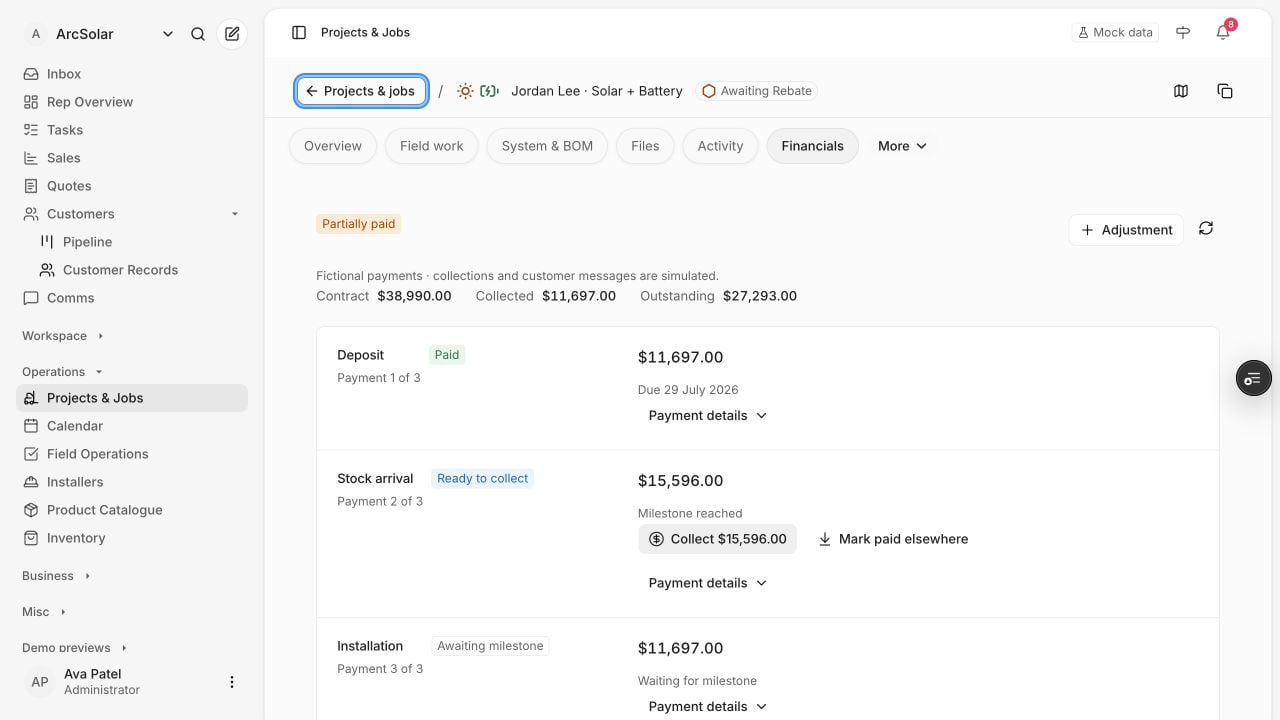
The project Financials tab with subtle payment status badges and milestone amounts.

Subtle status colours distinguish paid, partially paid and upcoming milestones in this fictional payment schedule.

Open Finance for the business view, or Projects & Jobs → Project financials for a project.

Reconcile a project

  1. Find the customer, project and issued payment schedule.
  2. Review deposit, milestone obligations and remaining balance.
  3. Check amount, date, status and provider reference.
  4. Separate customer payments, finance and rebate funding.
  5. Investigate failed, processing or unmatched items.
Use the authorised reconciliation process for manual evidence. A quoted amount is not collected cash; an expected rebate is not a receipt, and finance approval is not necessarily disbursement.

Resolve a mismatch

Compare the issued obligation with Stripe or the relevant provider. Check partial payments, refunds, pending processing and duplicate references before changing a record. For an older project requesting financial setup, review the original agreement and payment evidence. Today’s catalogue should not reconstruct an historical offer. Read the period and definition on finance summaries before comparing them with sales reports.