

The brand selector
The Selling brand box is not a dropdown
That is deliberate. When only one brand is available to you, there is nothing to choose between, so the box shows the brand’s name as a label instead of a control that could be opened to inspect alternatives it does not have. The line underneath reads “Prices, fees and quote terms below apply to this selling brand.” As soon as a second brand is available to you, it becomes a real list and the line changes to “Every section below edits this brand. Switch brands at any time.”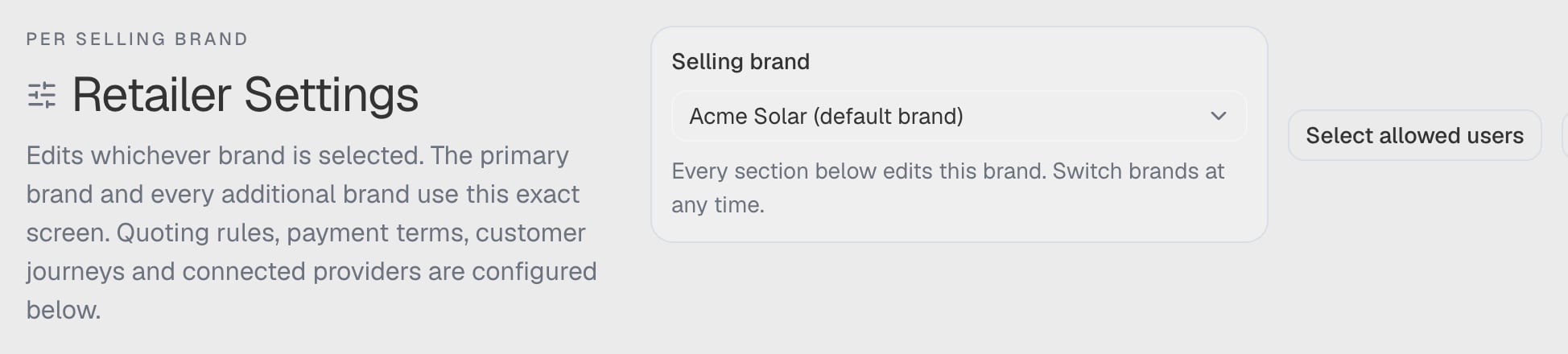
The Selling brand box in a synthetic workspace with more than one brand available, so the box is shown as a control and the note underneath is the multi-brand wording.
A brand is greyed out and I cannot select it
Only a brand you can configure is selectable. A draft brand — one that has been created but not yet switched on — and an archived brand are listed but disabled. The selector appends the reason to the brand’s name in the option, so the greyed-out entry carries it in the list. The two causes read differently:- Draft — “Not ready. Complete this brand’s setup before selling under it.” See Add an additional brand.
- Archived — “Archived. This brand can no longer be sold under.”
My brand is not in the list at all
Your role does not have it. Administrator, Operations, Developer and Finance see every brand the workspace has, including brands added later. Sales and other roles see only the brands ticked for them, and with none ticked they cannot sell or issue quotes for any brand. See Who may use which brand.The box says “Unavailable selling brand”
A brand you had selected was archived, or your access to it was removed, while you were working. The control keeps showing it as unavailable, with “The previously selected selling brand is not available. Choose another to continue.” — rather than silently moving you onto a different brand, which would put the next quote under the wrong identity. Choose another brand to carry on.Switching brand moved me to a different tab
It should not. Switching keeps the section you are in. What does change is everything on the page: the values, the readiness report and the brand the agreement belongs to are all re-read for the brand you chose.Brand setup and readiness
The panel says 2 of 4 met, but the brand is fully configured
The panel reports the quoting minimum, which is four things: Legal identity, Branding identity, Contract & consent and Active price book. Your brand can be perfectly usable and still miss one of them — most often the price book, because an active price book means at least one published price effective for that brand today. A book holding only drafts does not qualify. Everything else — extra logos, custom fonts, finance plans, preview assets — is optional and never counted.I cannot disable multi-brand
ArcSolar refuses while work is unresolved, and tells you the count: “Resolve N additional-brand drafts and M preparing revisions before disabling.” Finish or remove those drafts, then try again.Why can I not add a second price in the same save?
Because only one selling brand’s price is written per save. The add and edit dialogs say so: “One price per save. Add another selling brand’s price from this product’s own editor afterwards.” Save, reopen the product, then set the next brand’s price.Does a second brand change where the money goes?
The workspace’s card answers this directly: “All brands use the workspace’s existing connected payment account.” A selling brand is a commercial and document identity, not a separate merchant account.Quoting under a brand
Why can I not send a quote under my additional brand?
Because it is deliberately switched off today. An additional brand can hold its own price book, documents, logos, colours, fonts and access list, and a representative can build and save a draft under it — but issuing is blocked. Three messages say so:- Under the selling-brand list in the quote: “Draft preparation is available. Sending requires this brand’s approved documents and issuance setup.”
- Pressing send: “This selling brand is not ready to issue” — “Resolve selling access, brand setup or the saved recovery copy before sending.”
- If the send reaches the server: “This brand can save drafts. Sending becomes available after its document and issuance setup is ready.”
My quote still shows the other brand
Check these in order:- Is it a revision? “A revision retains the issued selling brand.” Once a quote has been issued, changing its brand is not a display setting — a revision keeps the brand the customer was quoted under.
- Did the switch complete? Changing brand runs a commercial review first, and only then reports “Selling brand changed — Review products, adjustments and payment terms before continuing.” If a review failed, the toast reads Selling brand unavailable or Brand change not saved, and the quote stays on its previous brand.
- Is the quote a restored draft? When a saved draft’s brand can no longer be read, the builder says “This draft’s selling brand is unavailable. Your saved draft has been retained.” Nothing is substituted; you choose.
Why is the brand I want not offered in the quote?
The quote builder uses the same rule as the selector, with one difference: it shows the brands you may sell under. A brand whose setup is incomplete may still appear so draft work is possible, which is why the builder can show a brand and then refuse to send under it.The contract and publishing
Why can I not publish the contract?
Publishing needs the workspace owner or a developer, and it fails closed. Two situations produce it:- You do not have publish authority. You can still edit and save drafts, but the version customers receive is not published until the workspace owner or a developer publishes it.
- Your authority could not be checked. The alert reads Owner status could not be verified — “You can still edit and save a draft, but publishing is unavailable until the page can confirm that you hold owner authority. Reload the page to retry.” Not being able to prove the actor holds the owner’s authority is treated exactly like not holding it.
The approval confirmation box cannot be ticked
The box stays disabled until the previews have been downloaded, because approving on an unread PDF is not a review:- Choose Download direct-payment preview.
- If the draft includes finance terms, also choose Download finance preview.
- Open them, then tick: “I have reviewed the downloaded previews and confirm this supplier identity, assets, agreement and payment terms are authorised for this brand.”