

One product, one price per brand
Every price row you enter is written against a price book, and a price book belongs to one selling brand. Add a battery and price it at $2,400 in your original brand’s book, and your second brand’s book still knows nothing about that battery until you put a price there too. The product dialogs say this in one line under the heading Selling & pricing:“One row per brand — change a price without touching the product”The row has these columns:
Under the row, two checkboxes:
- Sell prices include GST
- Publish price immediately — “Requires an active product and a currently effective Price Book.”
The status labels, and why there are two sets
The badge beside a price does not just say whether a number exists — it says whether that number is usable today, in the brand you are looking at.In Product Catalogue, the Status column
In a brand’s own Products and prices list
The same states are worded in book terms, because that surface is about one book:
Those lists share their table with the catalogue: Product, Brand price (with Including GST or Excluding GST underneath) and Status, with Find a product to filter and an edit action on each row.
”Priced in BRAND” is not an error
This is the single most confusing state, and it is worth understanding rather than working around.Priced in Excel Energy means: a selling brand’s price book prices this product; the book you are looking at does not. It is a fully priced product — just not in the book you happen to have selected.It used to read Missing price, which was simply wrong: it described the default book rather than the product, and made a correctly priced product look like an oversight. ArcSolar now asks the brand-aware question instead, which is why the catalogue, the per-brand product list and BOM readiness all agree.
How the status is decided
ArcSolar resolves a status in a fixed order, and the first rule that matches wins:- The product’s method is Upon request → Upon request.
- A published price is effective today → Current / Published.
- A published price starts in the future → Future price.
- A published price has already ended → Expired price.
- Only a draft price exists → Draft price / Draft only.
- The brand’s book says nothing, but another sellable brand’s book does → Priced in BRAND.
- Nothing anywhere → Missing price.
Draft, published, future and expired
Publish price immediately is only available “with an active product and a currently effective Price Book”, so a draft product or a book that is not yet in effect cannot publish a price. A copied price always lands as a draft — see below.
Copy the original brand’s prices into a new brand
On the Selling brands card, an additional brand’s Copy draft prices action opens Copy draft prices to BRAND:“Select current original-brand prices to copy as drafts. Nothing is published by this action.”Each candidate is listed as product — amount, incl./excl. GST. A product that already has a draft in the destination is shown as Draft already exists and cannot be ticked. Where nothing is available, it says “No current fixed prices are available to copy.”
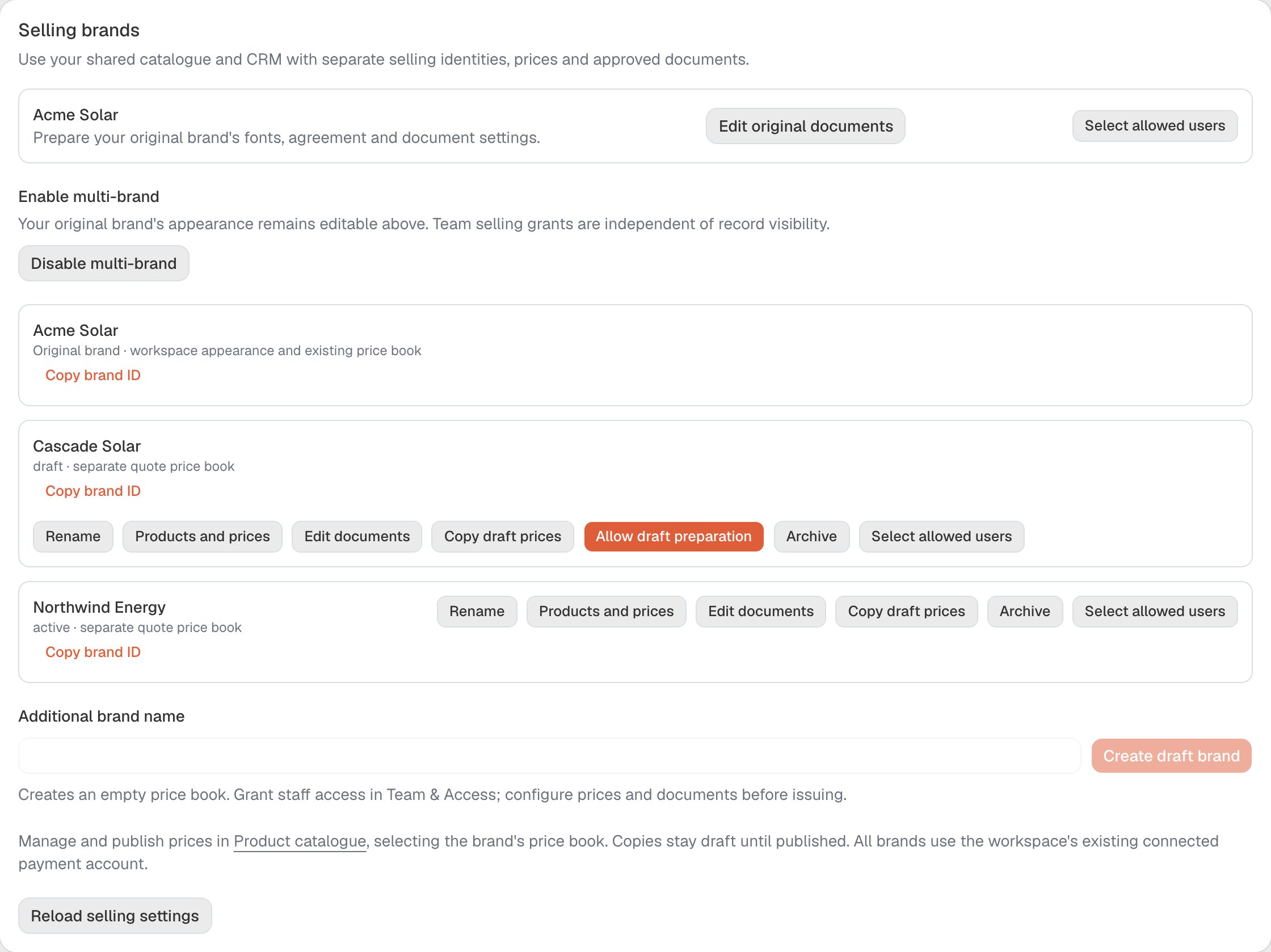
The Selling brands card, captured in a synthetic workspace, where each additional brand's Copy draft prices action starts. The same card carries the Products and prices and Edit documents actions for that brand.
Prices and state availability are separate
A brand’s price row holds that brand’s standard price. A state that charges differently is set in Availability and price by state above the rule — that is where per-state overrides belong, so the standard price keeps one meaning. The footnote on state availability is worth reading before you uncheck anything:“Uncheck a state to stop quoting there. Quotes already sent keep their rate.”The heading adapts to the product (“Which states can sell this battery”, “Which states can quote this system”, “Which states can quote this panel”).
Two things that do not change
- Product specifications are shared across brands. The per-brand editor opens with “Product specifications remain shared across brands.” Changing a capacity, a phase requirement or a datasheet changes it for every brand that sells the product. Only the price and the book are per brand.
- An issued quote keeps its price. Changing a catalogue price does not reprice a quote that has already been sent. See Quote revisions.