

Create a bundle
- Select New bundle.
- Enter a Promo bundle name. Reps see this name in the quote builder.
- Choose an Offer type:
- One price for the whole set: enter the Bundle price, GST inclusive. This is what the customer pays for all the products together.
- Amount off the component prices: enter the Amount off. It’s taken off the products’ normal prices added together.
- Under Included products, tick at least two products. Search by product, SKU or category.
- Add a Description (optional), such as conditions the rep should mention.
- Select Add promo bundle.
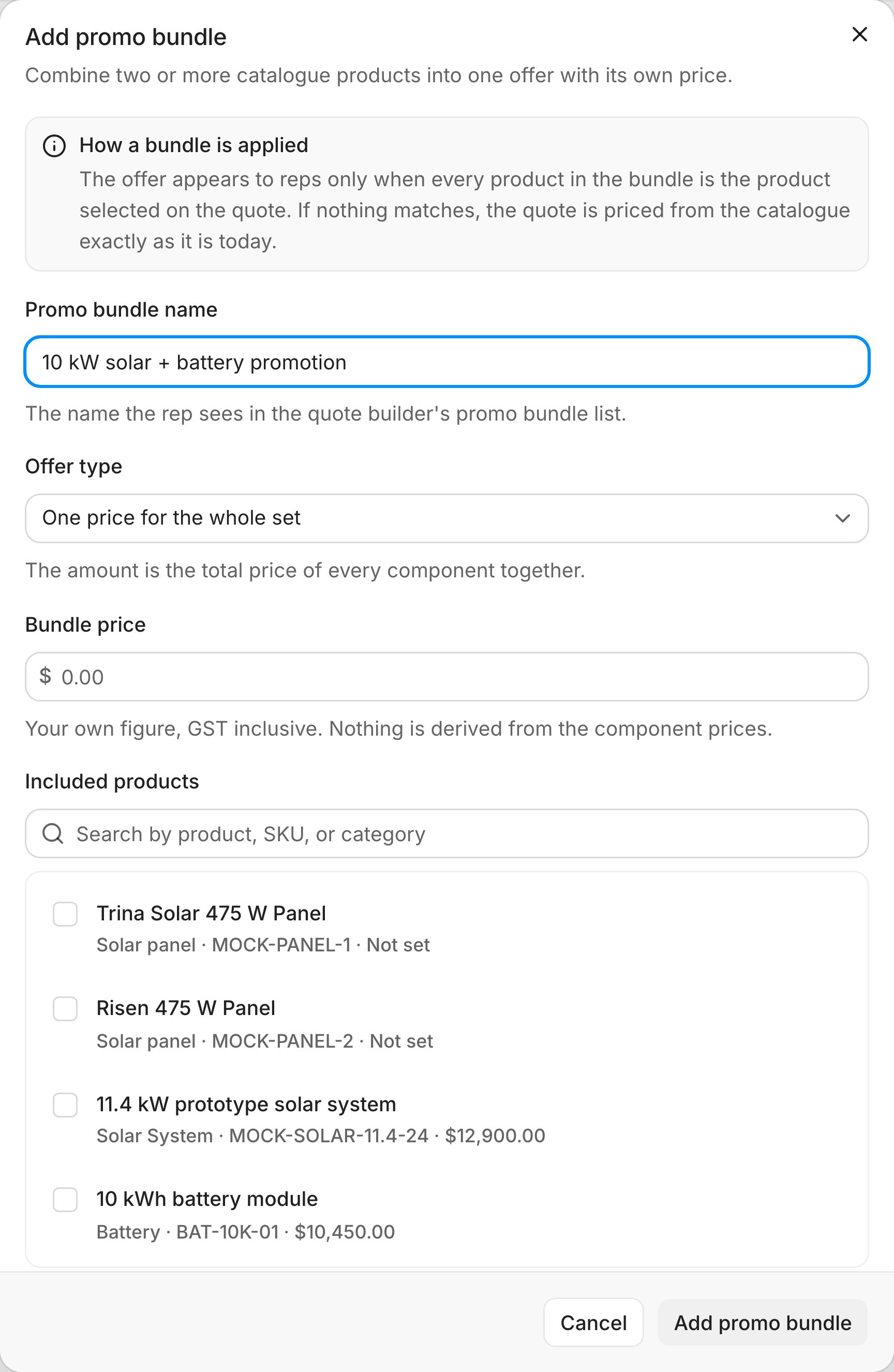
The Add promo bundle dialog. Sample data.
How reps use it
- The rep builds the quote and selects the products.
- On Review quote, under Extras & adjustments, Promo bundles lists every bundle that matches. Each shows its price and the products it covers.
- The rep picks the bundle, or No promo bundle. Nothing is applied on its own.
Edit or end a bundle
- Edit: select Edit on the bundle’s row, change it and select Save promo bundle. Quotes already sent keep their price.
- End: select Remove, then Remove bundle. Reps stop seeing it straight away. Sent quotes keep the price they were issued at.